
A mortgage file rarely arrives the way a reviewer wants to read it. A broker uploads one scan of the whole package, a title agent sends the signed closing set as a single attachment, a correspondent lender delivers a file that has been merged and re-merged on the way. The result is a PDF of several hundred pages with no table of contents. Everything the reviewer needs is inside it, and nothing says where.
Indexing is the step that turns that PDF back into a loan file: a list of documents, each with a type, a page range, a date or version, and a place on the lender’s own list of what this loan should contain. It sounds like clerical work. It is the step that decides whether a missing document is found in the first minute or on page 380.
An index is a list of documents, not a list of pages
Classifying every page is not the same as indexing the file. A page-level label can say that page 31 looks like a Loan Estimate. The index has to say more: that pages 28–30 are one Loan Estimate, that pages 31–33 are a second, revised one, and that the second replaces the first. The unit of the index is the document, and a document has edges.
Each entry needs a small, fixed set of facts:
- Document type — from the lender’s vocabulary, not a free-text label invented per file.
- Page range — first and last page in the source PDF, so a reviewer lands on it in one click.
- Date or version — the issue, signature or revision date printed on the document, when it has one.
- Checklist position — which line of the expected list this document satisfies, if any.
- Status — found, superseded, incomplete, not found, or unknown.
The last two are what make an index more than a bookmark list. They come from comparing what was found with what was expected.
Start from the lender’s checklist
A classifier can tell you what each document is. It cannot tell you what is absent, because absence only exists relative to an expectation. That expectation is the lender’s checklist for this kind of loan: a purchase and a refinance, a condominium and a detached house, a salaried and a self-employed borrower each change which documents belong in the file.
So the index starts from the checklist, not from the PDF. The checklist is selected from facts about the loan — purpose, property type, program — and lists the document types expected, in the order the lender reviews them. The PDF is then read against it. Every checklist line ends up with a document, a status, or an explicit gap. Every document in the PDF ends up on a line, or in an “unknown” bucket a person looks at. Nothing is left implicit in either direction.
The order matters to people more than to software. Reviewers who see every file in the same sequence — Note first, then the security instrument, then the disclosures — spot an odd entry faster. The index can present that order even when the scan arrived in a different one, because the page ranges keep the link back to the original.
Example: 418 pages, eleven expected documents, one missing
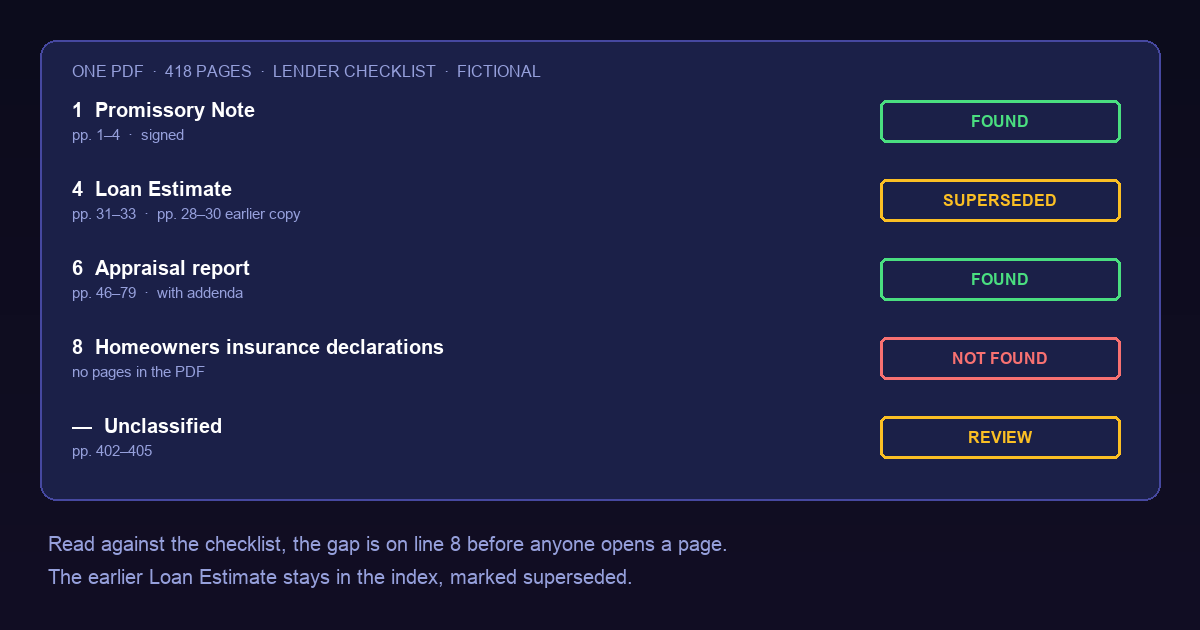
Consider a fictional purchase loan delivered as a single 418-page PDF. The lender’s checklist for this loan type expects eleven documents. After classification and boundary detection, the index reads:
| # | Expected document | Pages | Status |
|---|---|---|---|
| 1 | Promissory Note | 1–4 | Found, signed |
| 2 | Deed of trust | 5–22 | Found, signed |
| 3 | Closing Disclosure | 23–27 | Found, final copy dated at closing |
| 4 | Loan Estimate | 31–33 | Found; pages 28–30 are an earlier copy, marked superseded |
| 5 | Loan application (Form 1003) | 34–45 | Found |
| 6 | Appraisal report | 46–79 | Found, with addenda |
| 7 | Title commitment | 80–96 | Found |
| 8 | Homeowners insurance declarations | — | Not found |
| 9 | Flood zone determination | 97 | Found |
| 10 | Income documents (pay stubs, W-2) | 98–111 | Found |
| 11 | Bank statements | 112–161 | Found |
| — | Unclassified | 402–405 | Unknown; sent to review |
Pages 162–401 and 406–418 hold the remaining disclosures, recorded attachments and correspondence, each indexed to a type the checklist does not require. They are in the index; they simply do not satisfy a line.
Three things in that table would be easy to miss by reading. The homeowners insurance declarations page is not illegible or misfiled; it was never in the PDF, and the index shows that on line 8 before anyone opens a page. The earlier Loan Estimate is still there, marked superseded rather than deleted, so a later question about what the borrower was shown and when can still be answered. And four pages near the end did not match any type with enough confidence. They are not guessed into the nearest category; they wait for a person.
The missing document becomes a request to the broker or the borrower, raised at intake. Found on line 8 of an index, it costs a message. Found by a reviewer after reading 400 pages, it costs the morning.
Boundaries are where indexing goes wrong
Most of the difficulty is not naming documents. It is deciding where one ends and the next begins. Mortgage packages give mixed signals: a form header repeated on every page, “Page 2 of 5” footers that reset, signature pages that belong to the document before them, blank separator sheets, and pages scanned twice when someone fed the stack again.
The two common failures are mirror images. Two documents merged into one entry — the original and revised Loan Estimate read as a single six-page document — hides the revision. One document split into two — an appraisal addendum indexed as a separate, unexpected document — makes the appraisal look incomplete. Both pass a page-level check, because every page carries a plausible label.
Useful boundary signals include page-count footers, repeated form identifiers, a change in issue date, a signature and date block, and a change in the party named at the top. None is reliable alone. A boundary decision should carry its own confidence, and an uncertain one should be shown to a reviewer as “pages 28–33: one document or two?” rather than resolved silently. The mechanics of cutting a long file into parts and putting the evidence back together are covered in the long-document article; how confidence should decide routing is in classify before you extract.
Superseded is a status, not a deletion
Mortgage files legitimately contain more than one copy of some documents. A Loan Estimate can be revised after a change of circumstance; a Closing Disclosure can be corrected; an application is updated as the file moves through underwriting. Deduplicating the index by keeping only the latest copy looks tidy and destroys history that disclosure review and audits rely on.
Keep every copy as its own entry, with its printed date, and let exactly one copy satisfy the checklist line. The others carry the status superseded and a pointer to the copy that replaced them. When two copies have the same printed date and different content, that is not a tie to break automatically; it is a question for a person.
“Not found” has three meanings
A checklist line without a matching document is not one state. It can mean the document is absent from the PDF; that the document is present but incomplete, for example an unsigned page or a statement missing its final page; or that the line does not apply to this loan, such as a condominium questionnaire on a detached house. Record which one, and why. A blank cell that means all three is how a missing document survives to closing.
The index should also never fill a gap from a neighbouring document. Insurance coverage mentioned in a Closing Disclosure escrow line is not the declarations page. The index records that the line is open; whether the escrow line is enough evidence is a lender decision.
This is intake, and it comes before underwriting conditions. Once an underwriter issues conditions, each one is a specific evidence request with its own lifecycle, covered in the underwriting condition article. A clean index makes those requests shorter, because the file already shows what it contains.
What the index record should carry
Store the index as data, not as a renamed PDF with bookmarks. For each entry keep the document type, page range, printed date or version, checklist line, status, the confidence of the type and of each boundary, and the identifier of the source file. Store the checklist version that was applied, because a change in program rules can change which lines exist. When a document is added later, re-run the comparison and keep the earlier result rather than overwriting it.
With that record, a reviewer opens the file at the Note instead of at page 1, a processor sees the open lines without reading, and an auditor can see what the file contained on the day it was reviewed.
Where the software stops
Cogneris classifies documents and extracts fields with confidence and source references, which is the raw material for an index like the one above. The checklist itself, which documents a loan requires, and whether an open line blocks the file remain the lender’s rules and the reviewer’s decisions. Classification and boundary detection are not guaranteed to be correct on every page, which is why uncertain entries are routed to a person instead of being forced into a type.
The loan, page numbers and documents in the example are fictional. This article describes document handling; it is not lending, legal or compliance advice.