
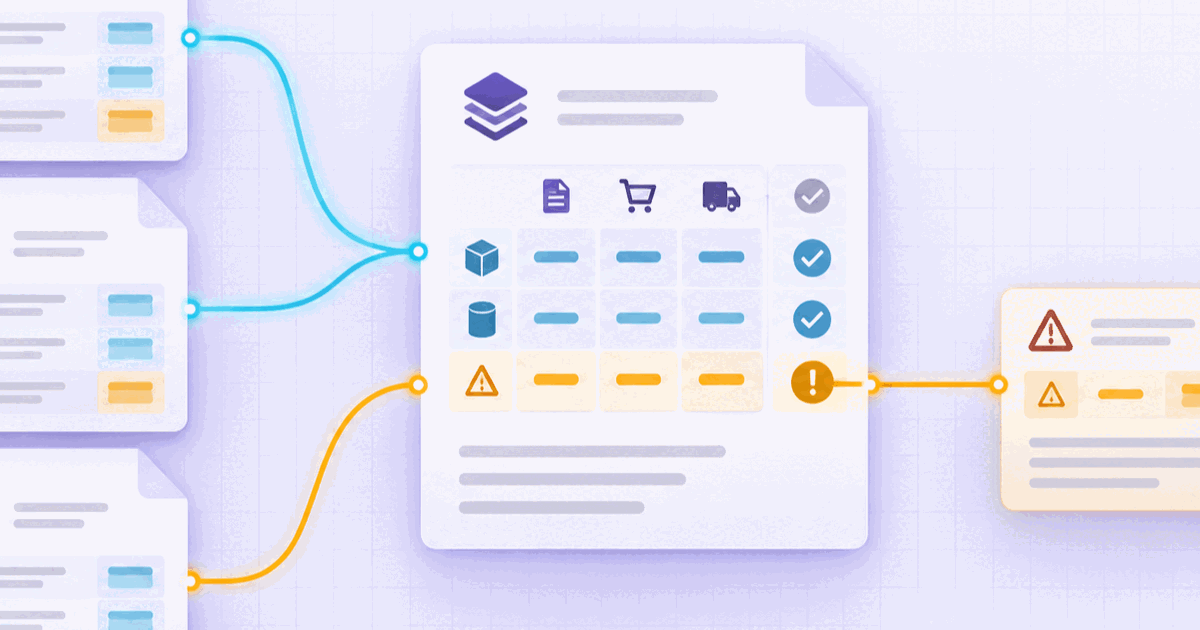
An invoice can be perfectly readable and still not be ready for payment. The supplier name parses, the invoice number is present, and the total adds up. Then the purchase order says 100 units, the goods receipt confirms 92, and the invoice asks for 100 at a different price. OCR found the values. It did not decide whether the values agree.
That distinction is the point of invoice reconciliation. Invoice extraction turns a PDF, scan, or image into structured fields and line items. Matching compares those results with the records that establish what was ordered, received, and approved. The output is not just a pass or fail; it is a reason a reviewer can inspect.
OCR is the first witness
Invoice OCR is useful because it makes the invoice queryable. It can identify the supplier, invoice number, dates, currency, tax values, line descriptions, quantities, unit prices, and totals. A schema can then require fields, normalize formats, and check arithmetic before the record moves downstream.
But the invoice is only one witness to a commercial event. Its line can be syntactically valid while the purchase order was cancelled, the receipt is missing, or the supplier sent a corrected version of the same invoice. Extraction creates evidence from the document; reconciliation tests that evidence against the surrounding packet.
- Read — identify fields, tables, and source regions from the invoice.
- Normalize — align identifiers, dates, units, currencies, and signs before comparison.
- Compare — test the invoice against the order, receipt, vendor record, and policy.
- Explain — preserve the line, values, rule, tolerance, and evidence behind the result.
Two-way and three-way matching answer different questions
Two-way matching compares an invoice with a purchase order. It asks whether the supplier is billing what was ordered, within the configured rules. Three-way matching adds the receipt or service acceptance record. It asks whether the supplier is billing what was ordered and what the operation says it received.
| Match | Records compared | Typical question |
|---|---|---|
| Two-way | Invoice and purchase order | Does the billed price and quantity agree with the approved order? |
| Three-way | Invoice, purchase order, and receipt | Does the billed line agree with both the order and the quantity received? |
| Exception review | All available evidence plus policy | What changed, what is missing, and who can approve the difference? |
The invoice matching API is the product surface for these comparisons: it separates two-way from three-way matching and returns line-level differences. That boundary matters. A system should expose the mismatch it measured, not hide it behind a generic “invoice processed” status.
The line is the unit of truth
Invoice totals are necessary for arithmetic validation, but they are too coarse to explain many exceptions. A total can match while one line carries the wrong quantity, a unit price changed without an approved order revision, or a freight charge has no receiving evidence.
Suppose an invoice has three lines. Lines one and two match the purchase order. Line three requests 100 units, the receipt records 92, and the tenant policy allows a two-unit variance. A useful result says: line three, quantity variance of eight, outside tolerance, receipt evidence short by eight units, route to receiving review. “Invoice failed” is less actionable because it hides the comparison.
Line-level evidence also makes correction safer. A reviewer can inspect the invoice region, purchase-order line, receipt line, normalized values, and tolerance that produced the exception without reopening the entire packet or guessing which total caused the hold.
Keep the tolerance visible
Matching is not always exact equality. A receiving process may allow a small quantity variance; a price difference may be accepted only within a dated contract rule; a service invoice may require an acceptance record rather than a goods receipt. Those boundaries belong to the tenant or business policy, not to an unexplained model guess.
- State the rule — record whether the comparison is quantity, price, amount, date, or reference based.
- Show the values — preserve the normalized invoice, order, and receipt values side by side.
- Record the boundary — include the tolerance, version, currency, unit, and effective date used.
- Separate override — an approval of an exception is not the same thing as a match.
Without those details, an automated pass is difficult to audit and an automated hold is difficult to resolve. With them, the workflow can route only the differences that require authority or missing evidence.
PDFs, structured invoices, and receipts coexist
Invoice operations rarely change formats in one clean step. Structured invoices can arrive alongside PDFs, scans, email attachments, delivery notes, and service acceptance records. The presence of an XML payload does not make the surrounding packet structured, and a PDF attachment can still carry the fact needed to approve the line.
Use one comparison policy across those inputs. Parse structured fields directly where they are reliable, extract the supporting documents with source references, normalize the values, and compare the resulting records. The PEPPOL document AI guide covers this wider document layer; the matching decision still needs the order, receipt, and approval context.
Validation is not approval
Validation evaluates a rule. Approval accepts a business exception or supplies authority that the records do not contain. They should remain separate states even when a rule automatically clears a record.
- Extract the invoice and preserve field and line citations.
- Resolve the purchase order, receipt, supplier identity, and duplicate candidates.
- Apply the configured two-way or three-way comparison at line level.
- Route missing evidence and out-of-tolerance differences with their reasons attached.
- Store the approval, rejection, or override before the ERP handoff.
This is narrower than claiming that document automation makes a payment decision. The workflow can make a measured comparison and recommend a route. The business still owns the policy, approval authority, and interpretation of the exception.
What to ask a matching provider
“Do you support invoice OCR?” is not enough to evaluate reconciliation. Ask what the system can prove after the text and fields have been extracted.
- Match semantics — does it distinguish two-way from three-way matching?
- Line evidence — can a reviewer open the source regions behind each compared value?
- Policy ownership — are tolerances explicit, tenant-specific, versioned, and visible?
- Mixed inputs — can structured invoices, PDFs, scans, and receipts share one workflow?
- Exception payload — does the downstream record carry the difference, reason, and review state?
- Audit trail — can the team reconstruct the documents and rule that produced the result?
Those questions keep the evaluation on evidence and workflow rather than a single OCR accuracy number.
Matching is the handoff, not the headline
Invoice OCR makes a document legible. Two-way and three-way matching make the commercial comparison explicit. A reliable process keeps the line, the source, the normalized values, the tolerance, and the decision state together until the exception is resolved.
That is the difference between extracting an invoice and reconciling it. Read the document, compare the packet, preserve the reason, and route the smallest unresolved difference to the person who can act.