
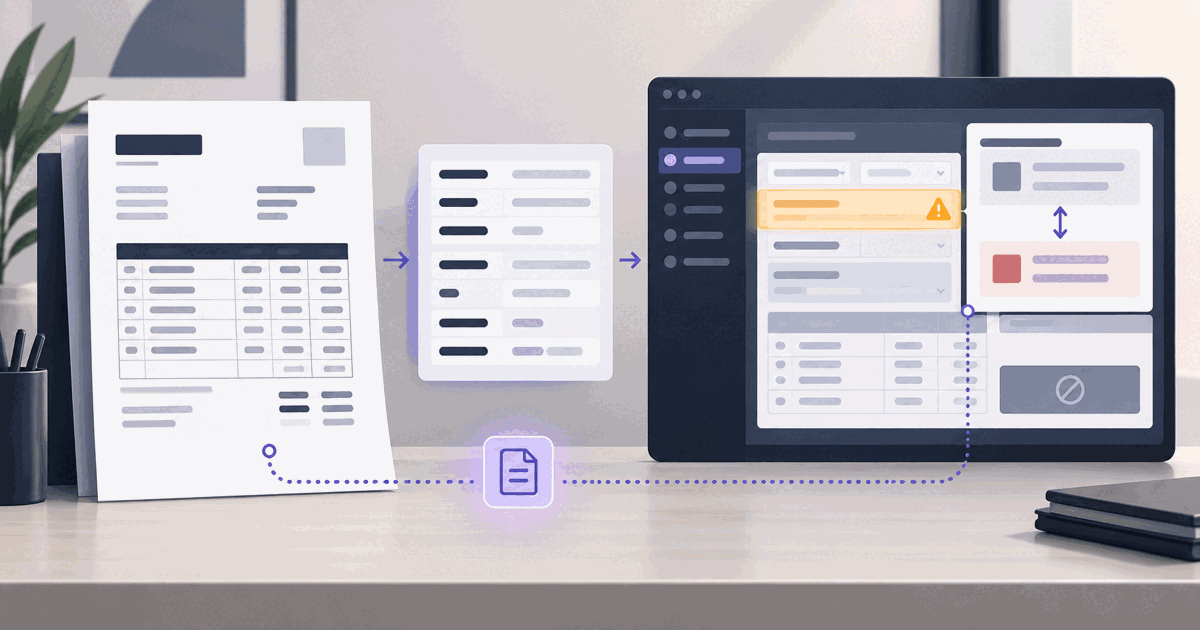
An invoice arrives as a PDF. The supplier name, invoice number, date, amount and tax are all read correctly. The extraction result is internally consistent. Then the posting step rejects it.
That outcome can look like an OCR failure because the pipeline ends at the same place: no posted invoice. But extraction and posting answer different questions. OCR asks what the document says. A posting check asks whether those values identify valid records and satisfy the rules configured for a company code, supplier, tax treatment and account assignment.
The W8 brief for this article is precise: show how supplier, tax, company and cost-center data can decide whether an otherwise accurate extraction is accepted. The examples below describe common validation boundaries, not a universal SAP configuration. The company’s accounting team owns its master data and posting rules; the extraction pipeline should preserve evidence and report the exact mismatch rather than guess a replacement.
A correct value can still be the wrong key
Consider a fictitious invoice from North Shore Components. The printed supplier name and tax identifier were extracted exactly. The invoice is for company code A100, has a valid-looking tax amount, and charges a maintenance cost center. Nothing on the page is misread. Yet a downstream posting can stop if the supplier cannot be mapped to the internal supplier record for that company code, if the tax code is not valid for the transaction context, or if the account assignment does not accept that cost center.
The distinction is between a value and a reference. “North Shore Components” is text on a document; SAP needs the supplier identifier and organizational data that its configuration recognizes. “10% tax” is a printed rate; posting may depend on a configured tax code, jurisdiction and tax date. “Facilities” is a cost description; an expense line may require an account assignment that is valid for the selected company code, account and date.
SAP documents this boundary directly. For its supplier-invoice inbound service, the supplier and company code must each be assigned through one of the supported scenarios; otherwise processing returns an error. The Create Supplier Invoice documentation also describes field requirements driven by G/L account field control and company-code-dependent tax-date behavior. These are configuration and reference-data checks after extraction, not evidence that the document was read incorrectly.
Four checks that can stop a posting
The exact messages and mandatory fields vary by SAP product, release and configuration. This table shows the kind of question each layer asks and what a document pipeline should do when it cannot answer it from evidence.
| Extracted field | Downstream check | What a mismatch means | Safe next step |
|---|---|---|---|
| Supplier name, tax ID or external reference | Can the invoicing party be mapped to an active supplier record in the relevant organizational scope? | The document may name a real supplier, but no unique internal record was established. | Keep the source values and candidate match evidence; route ambiguous identities for confirmation. |
| Company code and invoice dates | Is there a valid company-code assignment, and does that company’s configuration permit the dates and posting period? | A valid invoice may be addressed to another legal entity or fall outside the permitted posting window. | Do not infer a company from a logo or vendor name. Ask the finance owner to resolve the entity and period. |
| Tax amount, country and tax code | Can the extracted tax facts be represented by a configured code for this company and tax date? | A printed rate alone does not identify the configured posting treatment. | Preserve rate, jurisdiction and date separately; surface missing or conflicting configuration for review. |
| G/L account and cost center | Do the account assignment and required fields satisfy the G/L field controls and the organization’s validity rules? | A plausible department label may not resolve to an allowed account-assignment object. | Keep the document line and proposed coding together; let the authorized finance owner choose or correct the coding. |
The safe next step is deliberately different in every row. A system that silently swaps in the closest supplier, changes the company code, applies a default tax code or selects a “similar” cost center may produce a technically postable record that says something the invoice did not. A successful post is not proof that the chosen master-data match was right.
Separate extraction from resolution
A robust pipeline keeps three layers visible:
- Document evidence — the value as printed, its page and region, confidence, and any competing readings. Preserve the source string even when a normalized value is also produced.
- Reference resolution — the candidate supplier, company, tax code, G/L account or cost center, plus the key used to find it and whether the match is unique. A reference lookup is a separate operation from reading the document.
- Posting outcome — accepted, rejected, parked or held, with the target system’s response and the specific field or rule that needs attention. Keep a reviewer decision and any later correction as a separate event.
This separation matters when records change. A supplier’s payment terms, address or company-code data may be updated after an invoice arrives. The extraction should remain a record of the document; the posting attempt should record the master-data version and rule context it used. Reprocessing later should not rewrite what the source page said.
It also makes recovery practical. If the supplier could not be resolved, a reviewer can confirm the identity without re-running OCR. If the invoice is correct but the cost center is closed, the finance owner can select the current assignment while the original document value and decision stay visible. If a tax mismatch is really a date issue, the evidence is still available to distinguish it from a rate error.
What to validate before the handoff
Validation should compare extracted facts with an approved reference set, then report the difference. It should not turn every failed comparison into a hard rejection: some organizations park invoices for review, while others block posting until an owner acts. The right behavior belongs to the customer’s configuration.
- Resolve the supplier with more than a display name — use identifiers present on the invoice, such as a supplier number or tax identifier, only when the organization has authorized that matching rule. Show multiple candidates instead of choosing silently.
- Keep company context explicit — company code, currency, invoice date and posting date have different roles. A supplier existing somewhere in the system does not prove it is set up for the company receiving this invoice.
- Preserve tax facts before mapping them — extract the stated amount, rate, country or region, and relevant dates separately. A configured tax code may be determined by additional policy and system settings.
- Keep line coding attached to the line — G/L account, cost center, tax treatment and amount should remain associated with the invoice item that supplied them. Header-level values do not automatically describe every line.
- Return the reason with the evidence — “supplier not found for company code A100” is actionable. “Posting failed” is not. Include the document field, the rejected reference and the system response, while avoiding guesses about how to fix master data.
SAP’s invoice workflow includes a simulation step that can show account movements before posting, and its supplier-invoice data model represents account assignments such as cost center separately from the invoice header. Those controls reinforce the same design principle: validate the proposed handoff in the context where it will be used, and make the outcome inspectable before treating the invoice as posted.
When a mismatch is not an extraction defect
Three questions help route the exception to the right owner:
- Does the extracted value match the page? If not, correct the document reading and retain the source region that proves it.
- Does the value resolve uniquely in approved reference data? If not, ask the supplier-data or finance owner to resolve identity or organization scope.
- Does the resolved record pass the configured posting rule? If not, send the rule response to the owner of accounting configuration. Do not disguise a configuration decision as an OCR correction.
The same invoice can pass the first question and fail either of the next two. That is useful information. It means the reading can be trusted while the posting remains unresolved, instead of sending the whole document back through extraction or silently altering the value that was actually printed.
Keep the handoff honest
Cogneris’ SAP document extraction page describes an extraction layer that can feed SAP-centered workflows with validated data, review state and audit metadata. That page does not establish a universal native SAP connector or promise that every document can post without configuration. The integration boundary still needs a customer-specific mapping and a controlled response to exceptions.
For a three-way match, the same distinction applies: invoice OCR can be right while the purchase order, receipt or tolerance comparison remains unresolved. The invoice reconciliation guide covers those document-to-document checks. For supplier onboarding documents, keep identity evidence and payment instructions under a separate review path, as the SAP document extraction workflow describes.
The useful measure is not “how many invoices posted without a person.” It is whether each accepted posting can be traced from the source document through its extracted fields, reference matches, rule checks and reviewer decisions. When the OCR is right and the posting still fails, that trail lets the team fix the actual boundary without changing the evidence.
Sources
- SAP Help: Scenarios for Supplier and Company Code Settings — supplier and company-code assignment prerequisites for the inbound supplier-invoice service.
- SAP Help: Create Supplier Invoice — invoice fields, G/L field controls, company-code-dependent tax dates, simulation and posting.
- SAP Help: SupplierInvoiceS4Request_In — supplier-invoice fields and line-level account-assignment structure, including cost center.
This article describes document processing and accounting-data handoffs. It is not tax, accounting or implementation advice; validate rules with the organization’s finance and SAP owners.